Free-tier accounts have a fixed limit on the number of databases that can be created. This limit cannot be extended on the free tier. If you need additional databases, upgrade your plan.
To Create a new Database ID
1
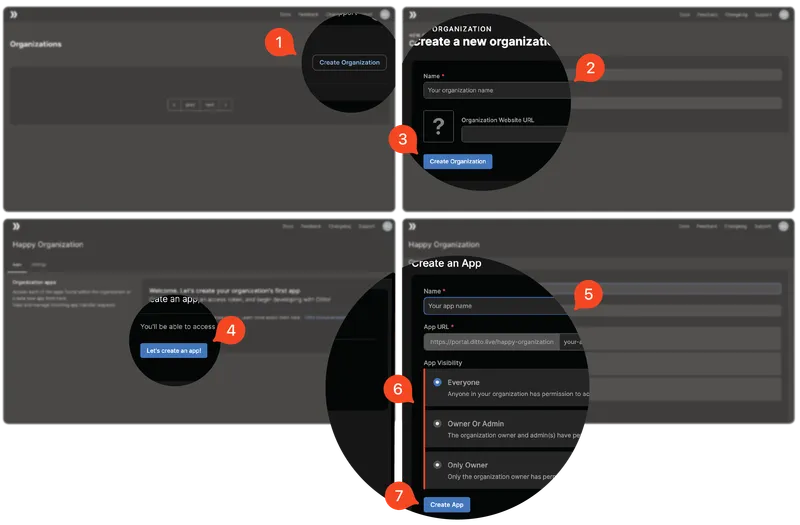
Click Create Organization.
2
Enter the Name of your organization and, if available, the Organization Website URL.
3
Click Create Organization.
4
Click Let’s Create a Database!.
5
Enter a Name and a slug for your Database URL.
6
Select your Database Visibility preference.
7
Click Create Database.